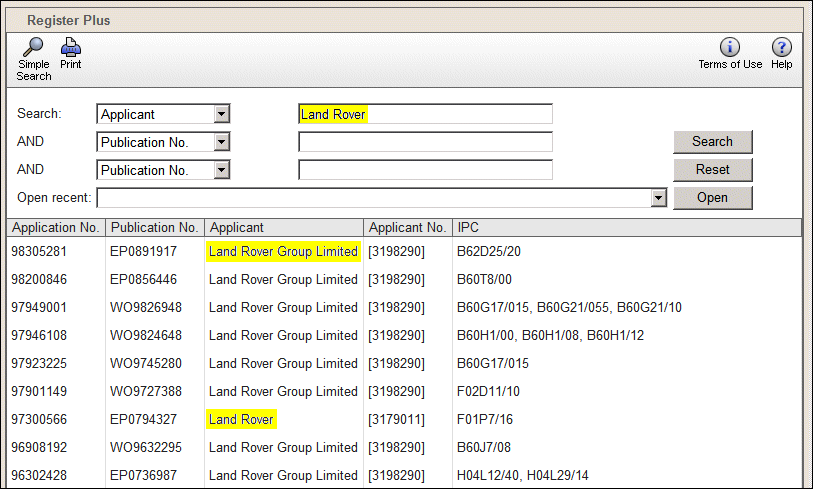
The Search category Applicant is selected and "Land Rover" is entered. Items matching both "Land" AND "Rover" are found.
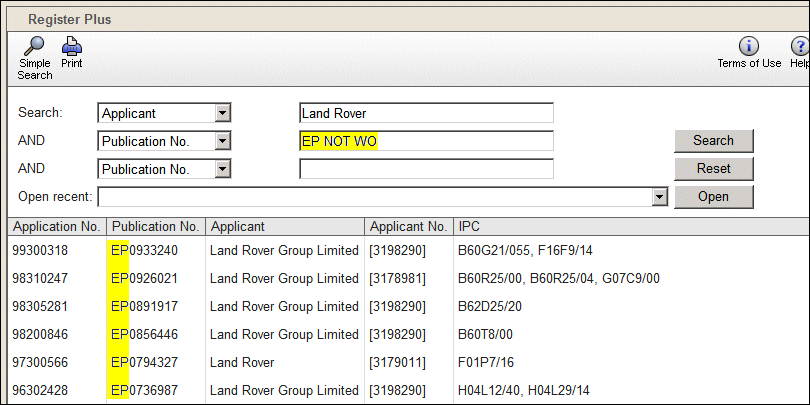
For our example, we wish to see only EP publication numbers. The list currently contains WO numbers as well.
We select the AND category Publication No. and enter "EP NOT WO". This excludes publication numbers starting with WO. Only numbers beginning with EP are listed.
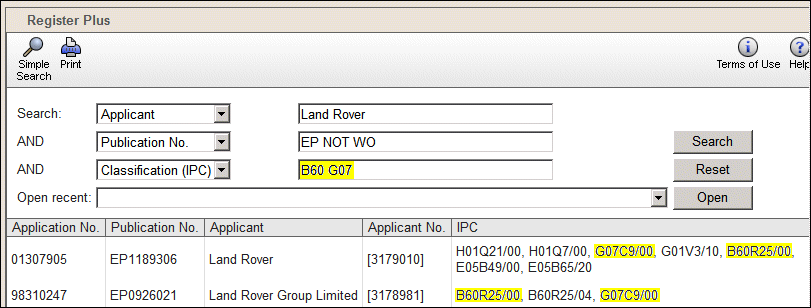
To reduce the number of items still further we select the second AND category Classification (IPC). We enter "B60 G07". This finds only items which contain both IPC numbers starting with B60 and with G07.